
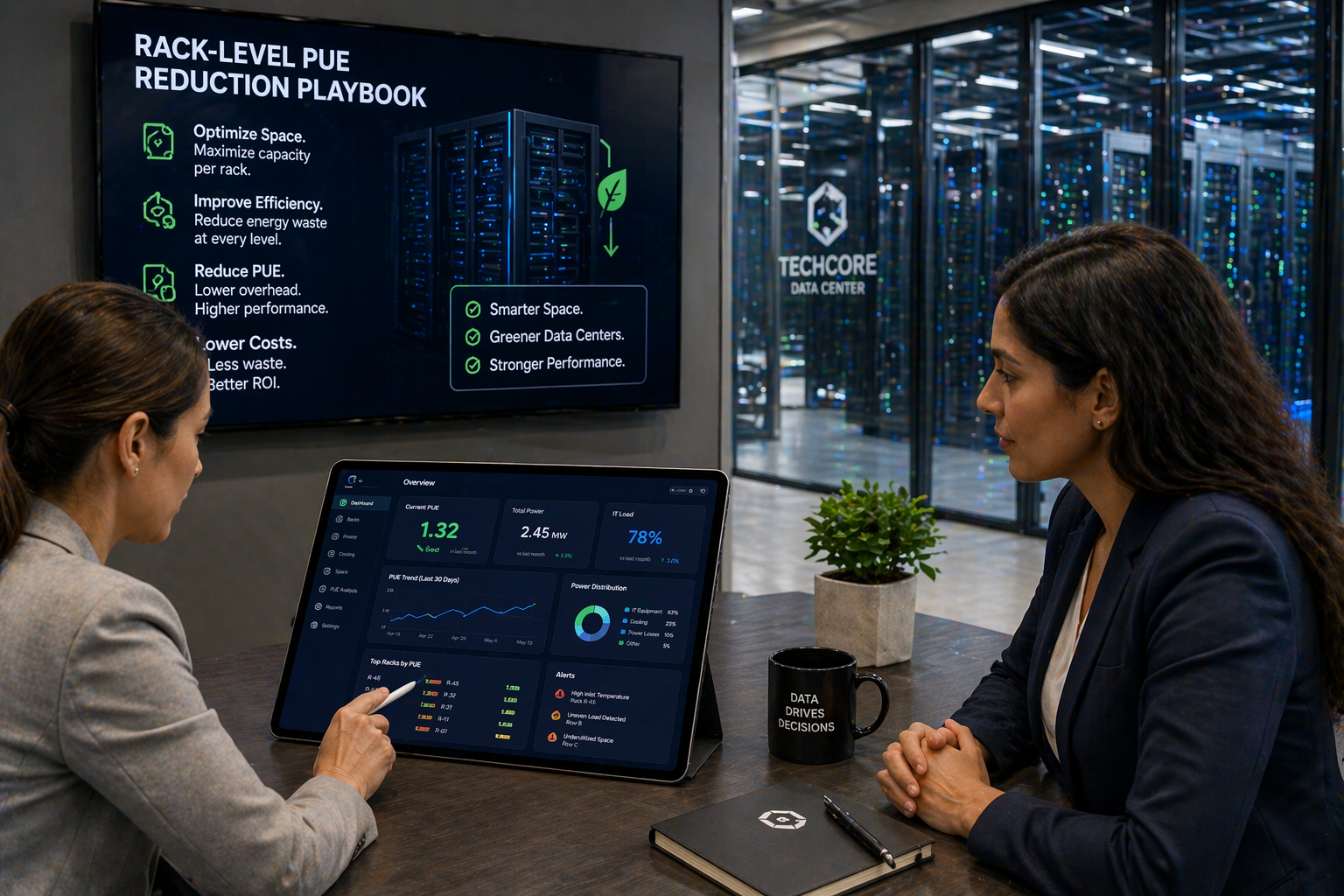
How can space utilization software reduce rack‑level PUE in a data center?
Space utilization software provides per-rack telemetry—power, temperature, and occupancy—correlated with workloads via virtualization and DCIM/IWMS integrations. That visibility enables consolidation, selective rack power‑downs, and demand-driven cooling adjustments, aligning cooling and power to actual load to cut idle energy, cooling overhead, and peak demand charges.
Core capabilities to evaluate for fast rack‑level PUE wins
Per‑rack telemetry and occupancy
Look for solutions that ingest PDU and rack power meter data, RU‑level power profiles, and occupancy sensors. These inputs reveal idle racks and low RU utilization so teams can plan safe workload consolidation and identify true candidates for power‑down.
Environmental and workload integrations
Temperature, humidity, and airflow sensors paired with virtualization and container APIs let you map VMs and workloads to physical racks. Correlating workload placement with hotspot data reduces firefighting and prevents overcooling.
- PDUs and power meters for accurate rack power utilization
- Thermal sensors and humidity monitoring for hotspot detection
- Occupancy trackers to identify truly unused racks
- Virtualization and workload APIs to enable targeted consolidation
- DCIM/IWMS connectors to keep asset maps and floor plans synchronized
Using space utilization software to lower rack‑level PUE
Consolidation and selective power‑downs
Use telemetry to identify lightly loaded racks and migrate workloads during low‑risk windows. Power down freed racks to eliminate idle chassis power draw and reduce chilled‑air delivery to unused space.
Demand‑based cooling and automated policies
Tie rack/row heat maps to CRAC controls and fan curves. Implement conservative, auditable automation to shift cooling capacity where needed and raise setpoints where safe to cut fan and chiller energy.
Governance and safety
Ensure policies include safety constraints, rollback paths, and change windows. Audit logs and role‑based access preserve compliance and coordinate IT, facilities, and finance during automated actions.
Operational playbook: step‑by‑step for startups
Step 1 — Baseline & discovery
Gather historic PUE, rack load, and occupancy data. Map racks in your IWMS/DCIM and identify underused racks and high‑density zones. Use these baselines for ROI forecasts and to prioritize quick wins.
Step 2 — Sensor deployment & data collection
Pilot rack PDUs, power meters, thermal sensors, and occupancy trackers. Validate telemetry ingestion and timestamp consistency across sources for reliable correlation and alerting.
Step 3 — Pilot & policy testing
Run focused pilots on idle or high‑impact racks. Test consolidation, controlled power‑downs, and conservative cooling adjustments. Monitor rack‑level PUE, hotspot frequency, and remediation metrics to ensure safety.
Step 4 — Scale and automate
Roll out proven policies across pods, integrate with DCIM/IWMS, and enable automated actions with clear safety constraints. Schedule periodic audits and continuous optimization cycles with cross‑functional stakeholders.
Measuring impact and picking the right tools
Key KPIs to track
- Rack power utilization and IT load per RU
- Active vs. available racks and overall utilization rate
- Rack‑level PUE, hotspot frequency, and cooling energy per kW IT
- Time‑to‑remediate thermal events and change window success rates
- Reduction in peak demand charges and utility costs
Tool and vendor checklist
Prefer API‑first vendors that ingest PDUs, sensors, and virtualization APIs. Confirm DCIM/IWMS connectors, real‑time streaming SLAs, exportable audit logs, role‑based dashboards, and documented telemetry latency and retention.
Conclusion
For resource‑constrained IT and tech startups, rack‑level PUE reduction is an achievable, high‑ROI effort. Space utilization software turns telemetry into safe, auditable actions—enabling consolidation, targeted cooling, and automated power reductions that yield fast utility savings, better capacity planning, and measurable sustainability improvements.
Key Takeaways
- Space utilization software aligns power and cooling to actual rack usage for targeted PUE reductions.
- Start with a pilot on high‑impact racks, validate safety, then scale with automation and governance.
- Measure success with utilization rates, rack‑level PUE, and time‑to‑remediate thermal events.
Discover how eFACiLiTY can optimize your facility management. Schedule a demo today.
FAQ
What data sources are required for effective space utilization software?
Effective deployments combine rack PDUs and power meters with temperature and humidity sensors, occupancy trackers, and virtualization/workload APIs. Correlating these sources in DCIM or an IWMS removes blind spots, enabling per‑rack power profiles, automated consolidation, and accurate utilization metrics for cooling and capacity decisions.
How long before a startup can expect to see ROI from space utilization software?
Most startups see measurable savings within 1–3 months after consolidation and cooling adjustments; full pilot‑to‑ROI typically completes in 3–9 months depending on baseline inefficiencies. Quick wins—powering down freed racks, optimizing cooling, and reducing demand charges—drive the fastest returns.
Can space utilization software integrate with our existing IWMS Space Management System and DCIM?
Yes. Modern space utilization solutions provide APIs and connectors for DCIM, IWMS, and BMS to sync inventory, floor maps, and telemetry. Integration enables automated policies (rack power‑downs, CRAC adjustments) while preserving asset records, compliance logs, and coordination between IT, facilities, and finance.




