
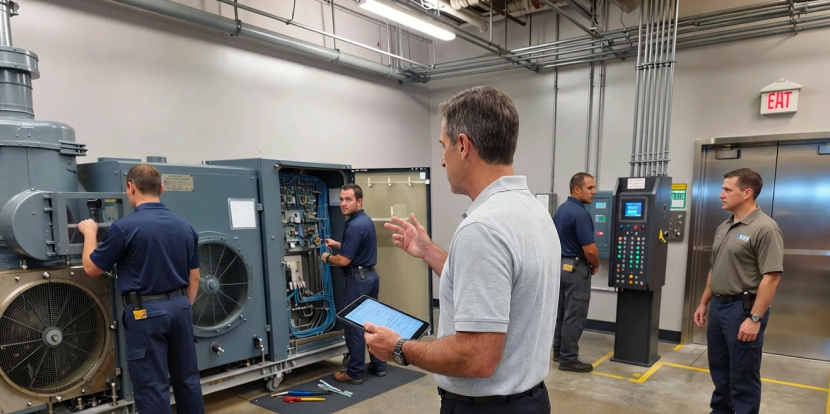
Corporate facility managers juggle aging HVAC, electrical and vertical-transportation systems, tight budgets, and high occupant expectations. Without a structured approach, reactive maintenance balloons costs, shortens asset life, and undermines occupant comfort and compliance. Implementing facility maintenance software — whether a standalone CMMS or part of an IWMS/CAFM stack — creates repeatable processes that reduce emergency repairs and extend equipment ROI.
Why facility maintenance software matters for corporate offices
A centralized CMMS or maintenance tracking software turns maintenance from reactive to predictable. It captures asset history, schedules preventive maintenance (PM), and standardizes work order workflows across sites. The result: fewer emergency callouts, measurable contractor performance, and auditable inspection records that support compliance, safety, and capital planning.
The business case for a CMMS in corporate portfolios
- Lower reactive spend: Reactive work often accounts for 50%–80% of maintenance budgets without structure.
- Better occupant experience: Faster response and fewer disruptions.
- Data for decisions: Lifecycle cost reporting helps plan replacements and justify capex.
Core features to insist on
When evaluating facility maintenance software, prioritize tools that directly reduce reactive repairs and support lifecycle management.
Work order management system
- Automated intake, prioritization, and routing by asset criticality and SLAs.
- Mobile access for technicians — updates, photos, and notes in real time.
- Escalation rules and contractor scorecards to improve first-time-fix rates.
Preventive maintenance system (PM)
- Calendar-based, runtime/meter-triggered, and condition-based PM scheduling.
- Checklist libraries and templates to ensure PM consistency and compliance.
- Automatic work order generation and PM compliance tracking dashboards.
Maintenance tracking software & asset tools
- Clean asset registry with hierarchy, parts inventory, and cost history.
- IoT and condition monitoring integrations (vibration, temperature) to enable condition-based maintenance.
- Lifecycle and cost-per-asset reporting to prioritize replacements.
Implementation checklist: selecting and deploying the right solution
Vendor and product selection criteria
- Multi-site management and robust cloud security.
- Role-based access, integrations (BMS/IWMS/ERP/procurement), and open APIs.
- Usability for technicians and managers — low friction is adoption-critical.
- Vendor-provided training, onboarding, and change management support.
Deployment best practices
- Start with data cleanup: standardize naming, build an asset hierarchy, import baseline history.
- Run a pilot across representative sites and asset types.
- Define KPIs up front (PM compliance, reactive work %, MTTR, MTBF).
- Establish governance: who raises work orders, approves spend, and owns KPI reporting.
Best practices to cut reactive repairs and extend asset life
Operational strategies powered by software
Shift from rigid calendar-only PM to condition-based maintenance where sensor data allows. Use parts-forecasting to hold the right spares and minimize emergency procurement. When failures reoccur, run root-cause analysis in the CMMS, log corrective actions, and update PMs to prevent recurrence.
KPIs to track (and how software helps)
- Reactive work percentage: Target a steady decline as PM compliance improves.
- PM compliance rate: Automated reminders and mobile checklists boost this metric.
- MTTR & MTBF: Maintenance tracking software aggregates repair times and failure intervals for trend analysis.
- Maintenance cost per asset: Cost history + parts usage reveal high-cost assets to prioritize.
Measuring ROI and proving value
Short-term ROI: fewer emergency callouts, lower contractor premiums, and optimized spare parts. Long-term ROI: extended asset life, deferred capex, and improved space utilization. Use CMMS reports to quantify savings and present finance with credible forecasts.
Simple ROI example
If annual maintenance spend is $500,000, reducing reactive work by 20% yields $100,000 in annual savings. Add $25,000 from parts and emergency-fee reductions = $125,000 saved. A $60,000 first-year CMMS deployment pays back in year one.
Common pitfalls and how to avoid them
- Don’t import dirty data — start with a normalization step.
- Avoid overwhelming users with excessive customization; keep workflows simple initially.
- Invest in training and a vendor support agreement with regular optimization reviews.
Conclusion
Facility maintenance software — implemented as a CMMS or integrated into an IWMS/CAFM — equips corporate facility managers to reduce reactive repairs, extend asset life, and make maintenance a data-driven, predictable function. With the right features, careful deployment, and KPIs in place, maintenance becomes a value center that supports corporate goals.
Key takeaways
- Adopt a CMMS with robust work order and preventive maintenance capabilities.
- Maintain clean asset data and integrate IoT to move to condition-based strategies.
- Track PM compliance, MTTR, and reactive work percentage with dashboards to prove ROI.




